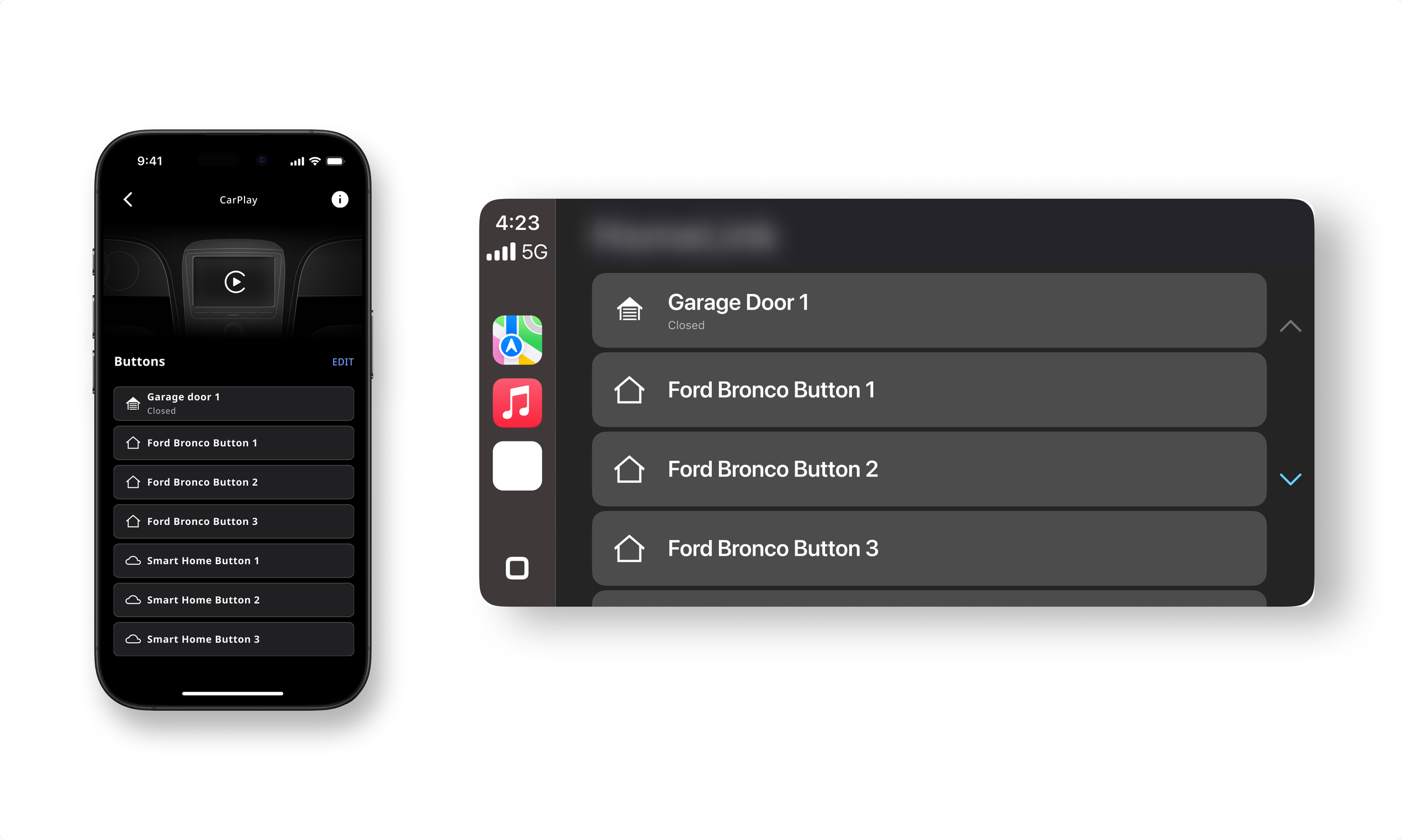
CarPlay & Android Auto Companion App
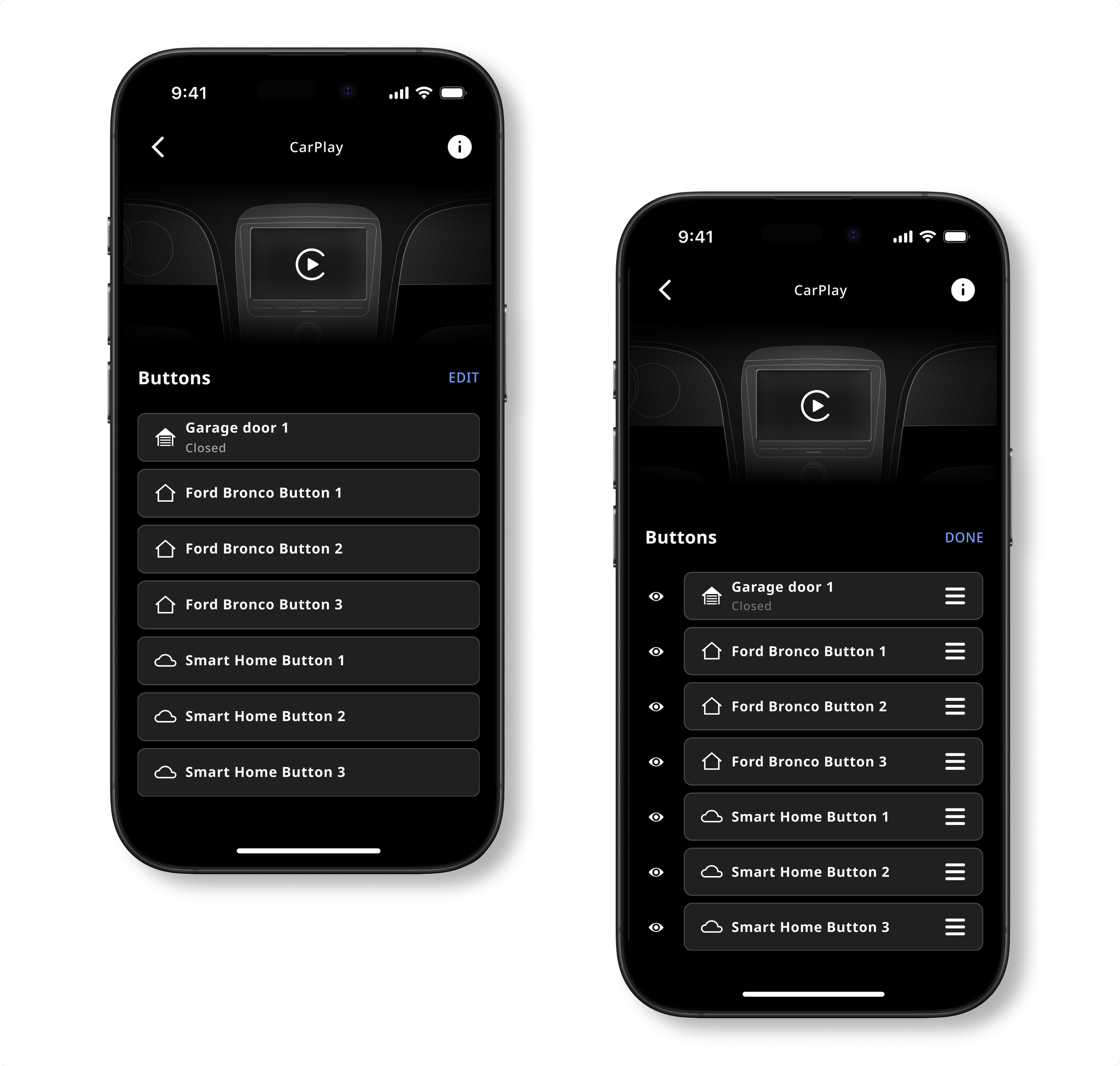
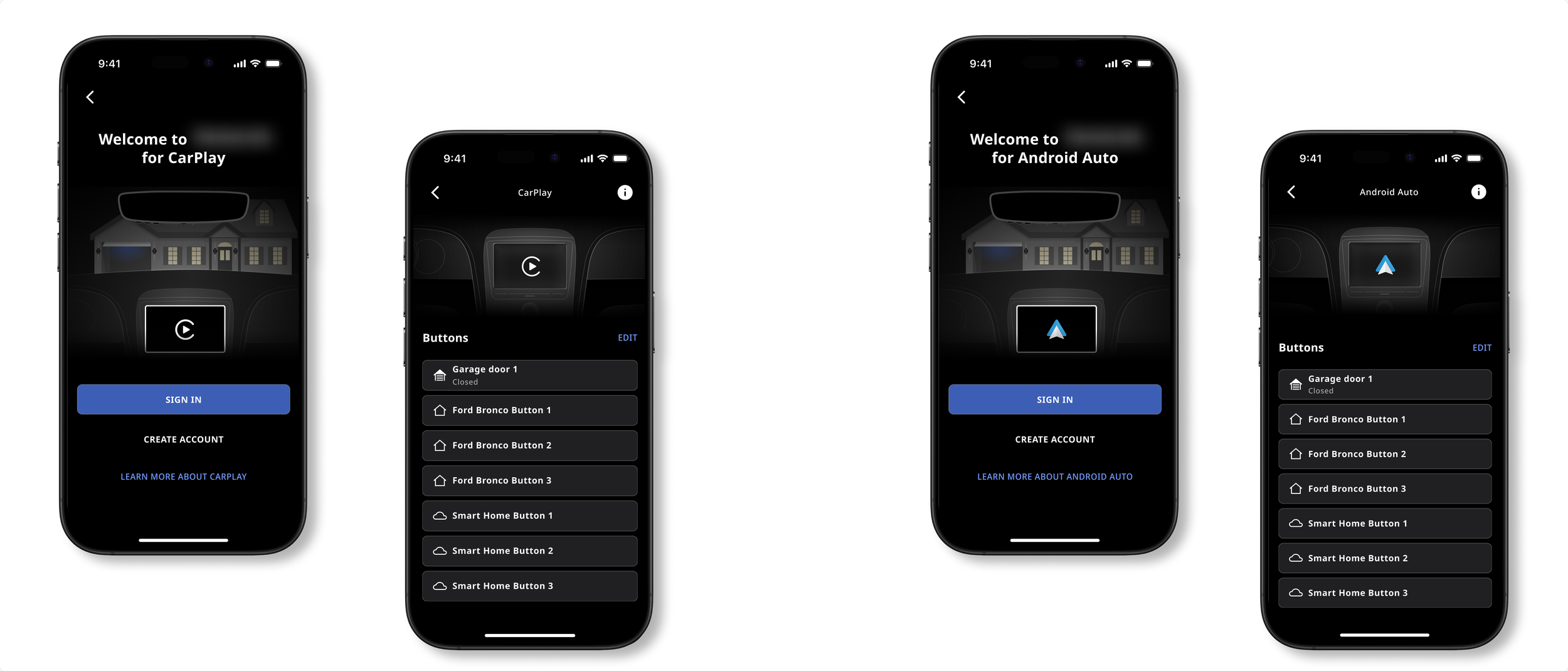
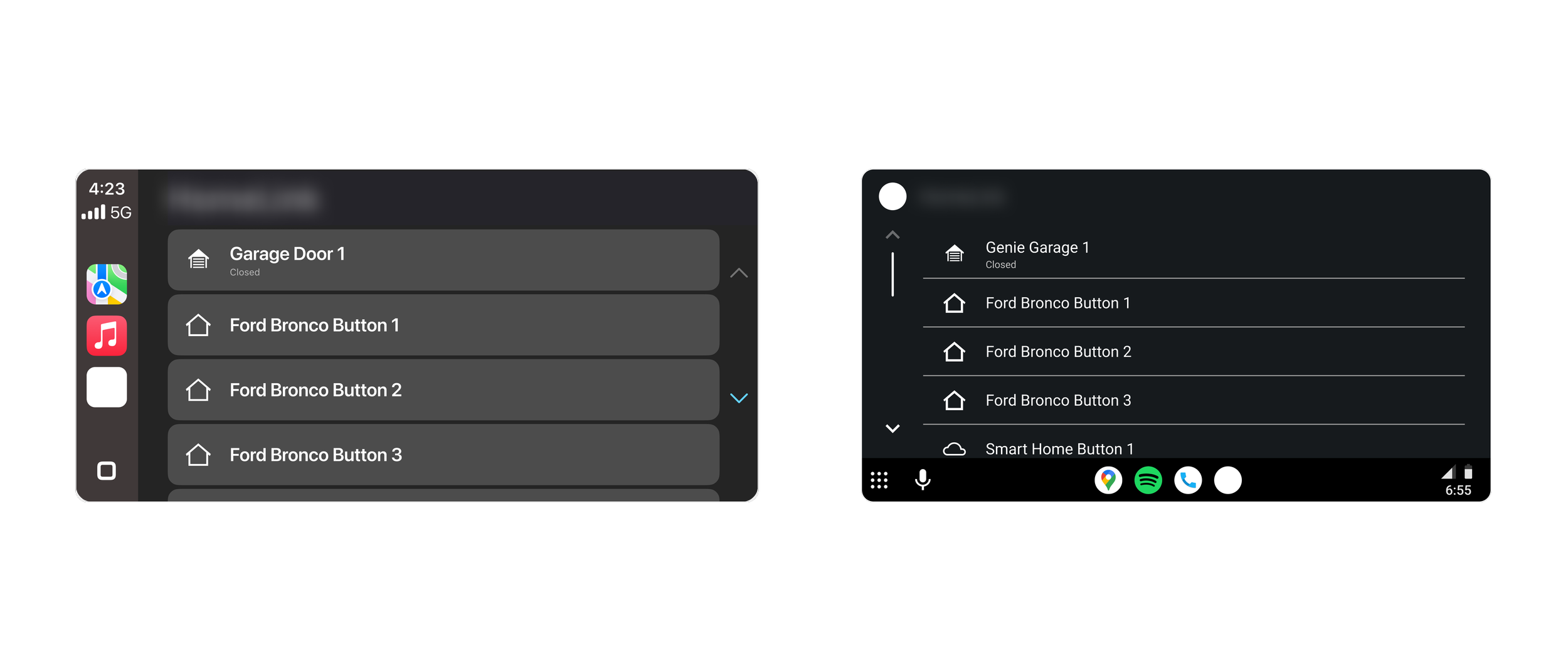
In the fast moving world of technology, CarPlay and Android Auto are becoming widely available in many new cars. The way these systems offer a familiar interface to users, as well as a safer driving experience, has led to an increase in usage and popularity over recent years. That being said, this client wished to make their current home automation app CarPlay and Android Auto compatible. The goal was to allow users easier access their button automations from their car’s infotainment screen. Because CarPlay or Android Auto apps offer limited customization, this client also wanted an in-app configuration page, so users could control how their buttons appear in the car. By keeping the UI simple and providing purposeful guidance material, users can quickly understand how to adjust their buttons and create an in-car experience that aligns with their needs.
Timeline:
6 months
Responsibilities:
Benchmarking, UX/UI Design, Copywriting
Discovery
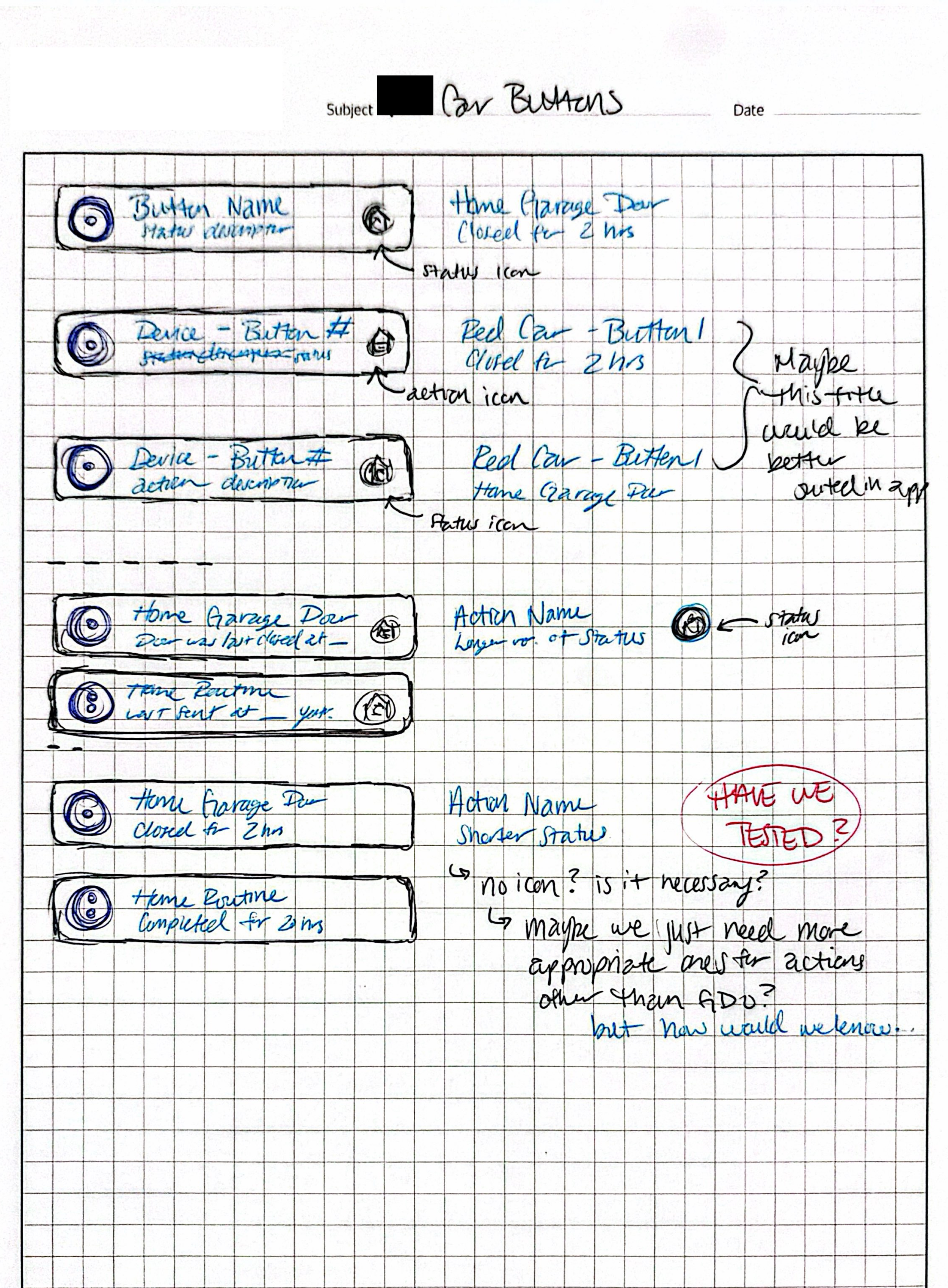
The first step to designing an app for CarPlay and Android Auto was reviewing and understanding the guidelines set for both systems. Apple and Android provide templates, UI and UX requirements, as well as suggestions to create a successful experience in the car. Because the category this client’s app fell into is still relatively new to CarPlay and Android Auto, it was important to identify what competitor apps were doing. Even with the constraints of the in-car UI, it was clear that clarity and simplicity should be prioritized to minimize driver distraction.
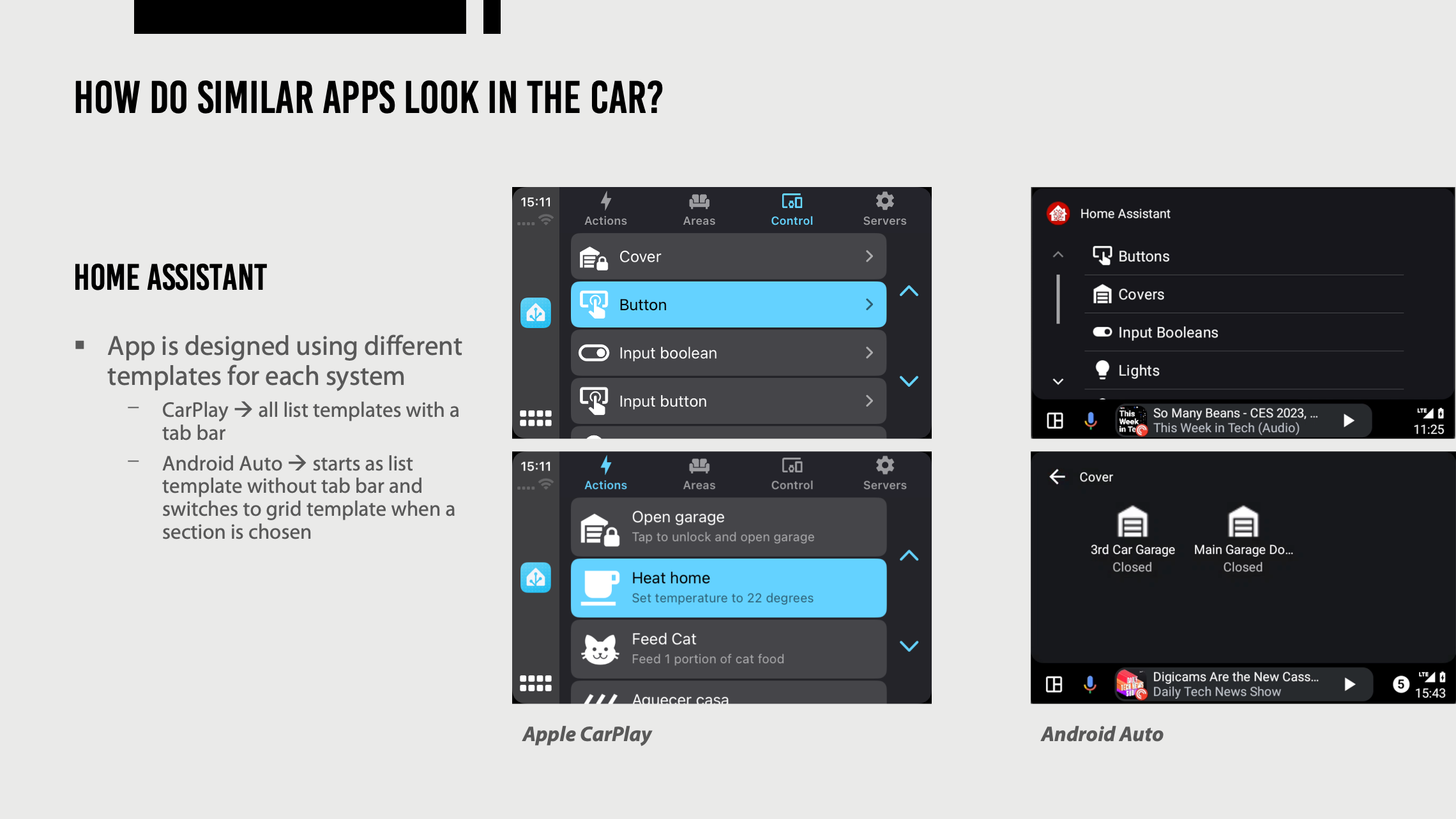
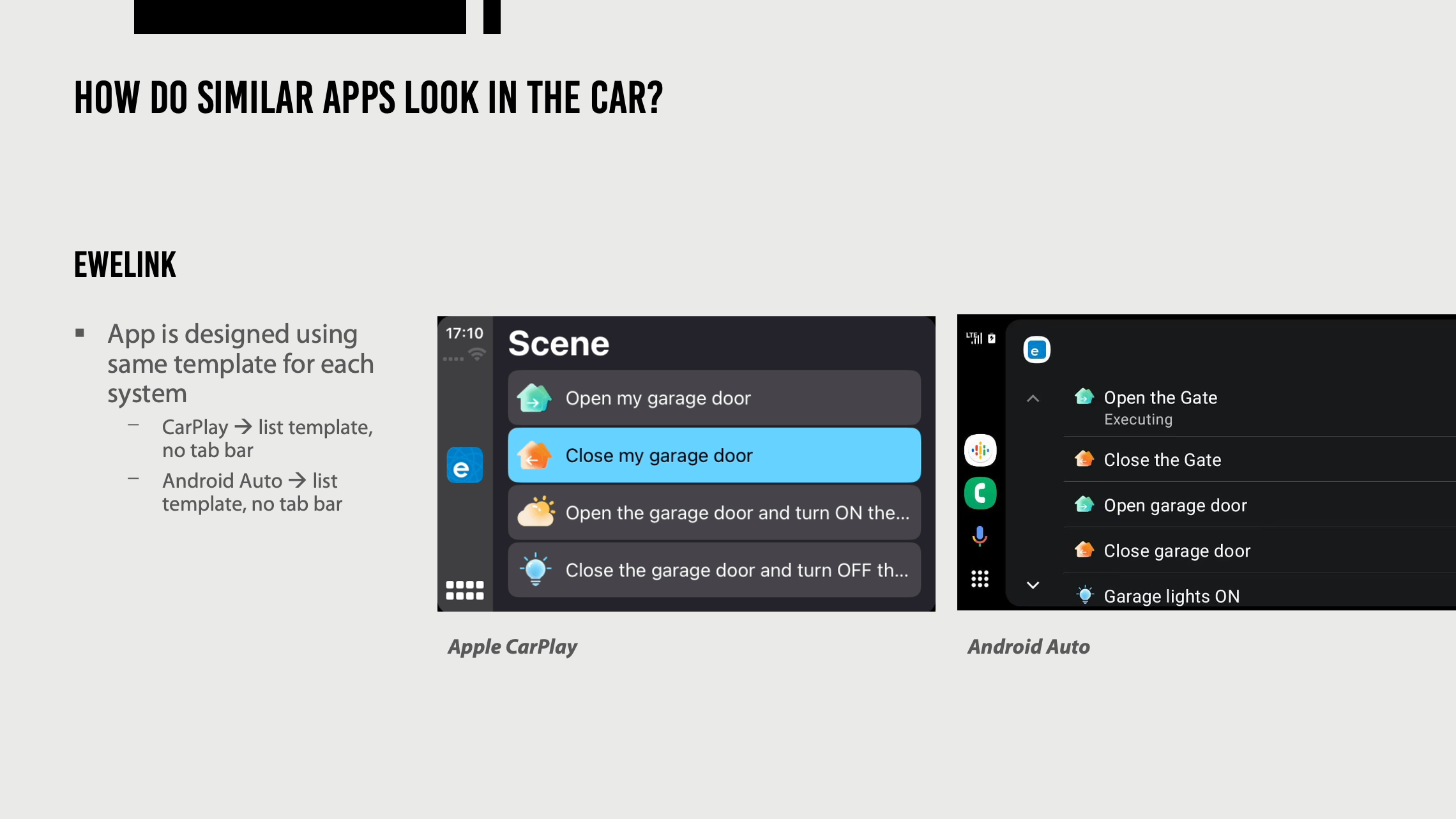
Define
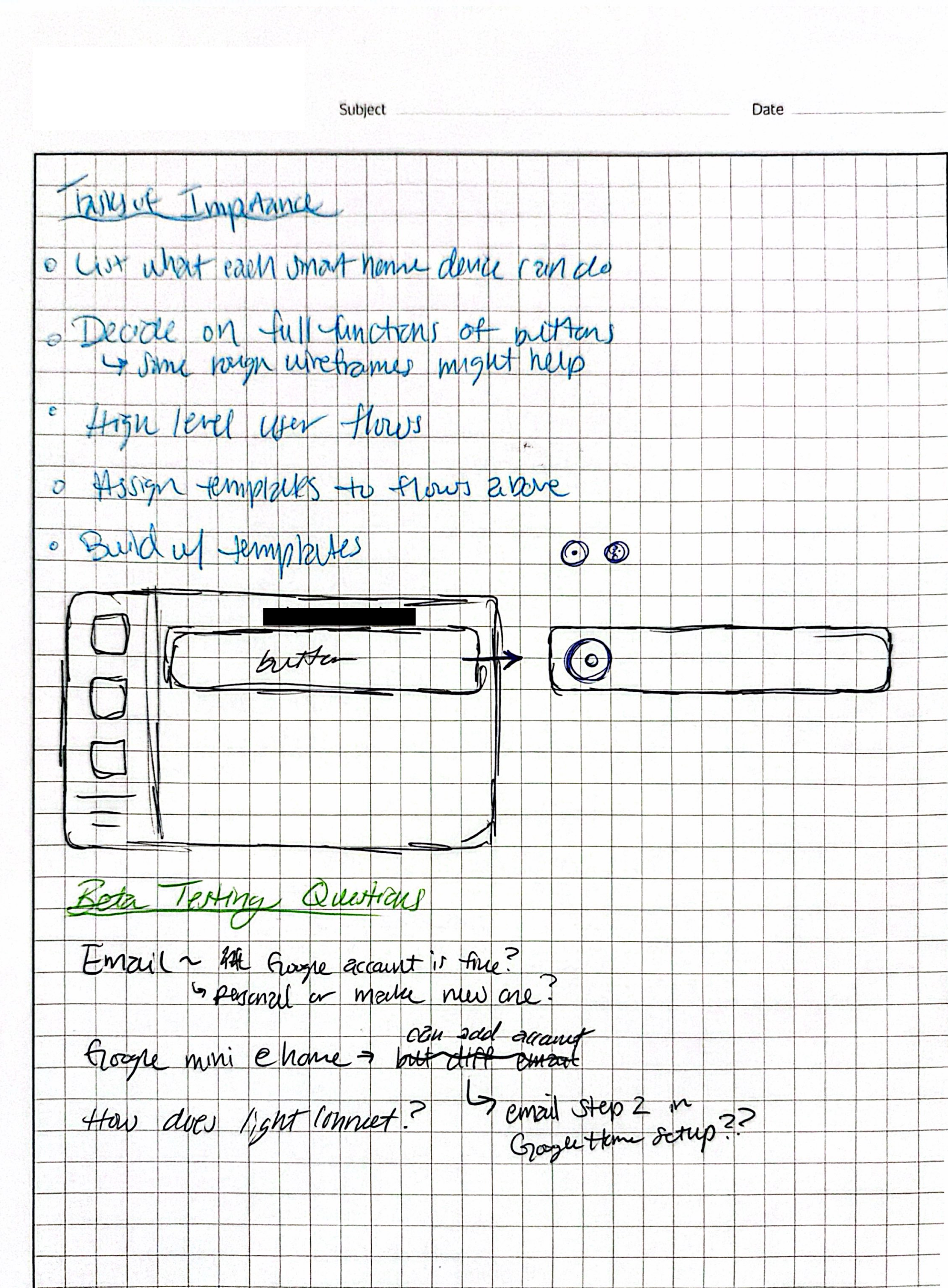
Due to the client’s scope, the in-car experience and UI needed to be established before the design of the in-app configurator. That said, after analyzing the existing research and benchmarking, some additional planning was necessary before starting design work. I created the flow below to layout the steps needed to move forward, while also documenting questions and ideas that I needed to explore. This was extremely helpful in anticipating how current decisions would influence future features, like the configurator, even though that feature was planned for later.
Ideate
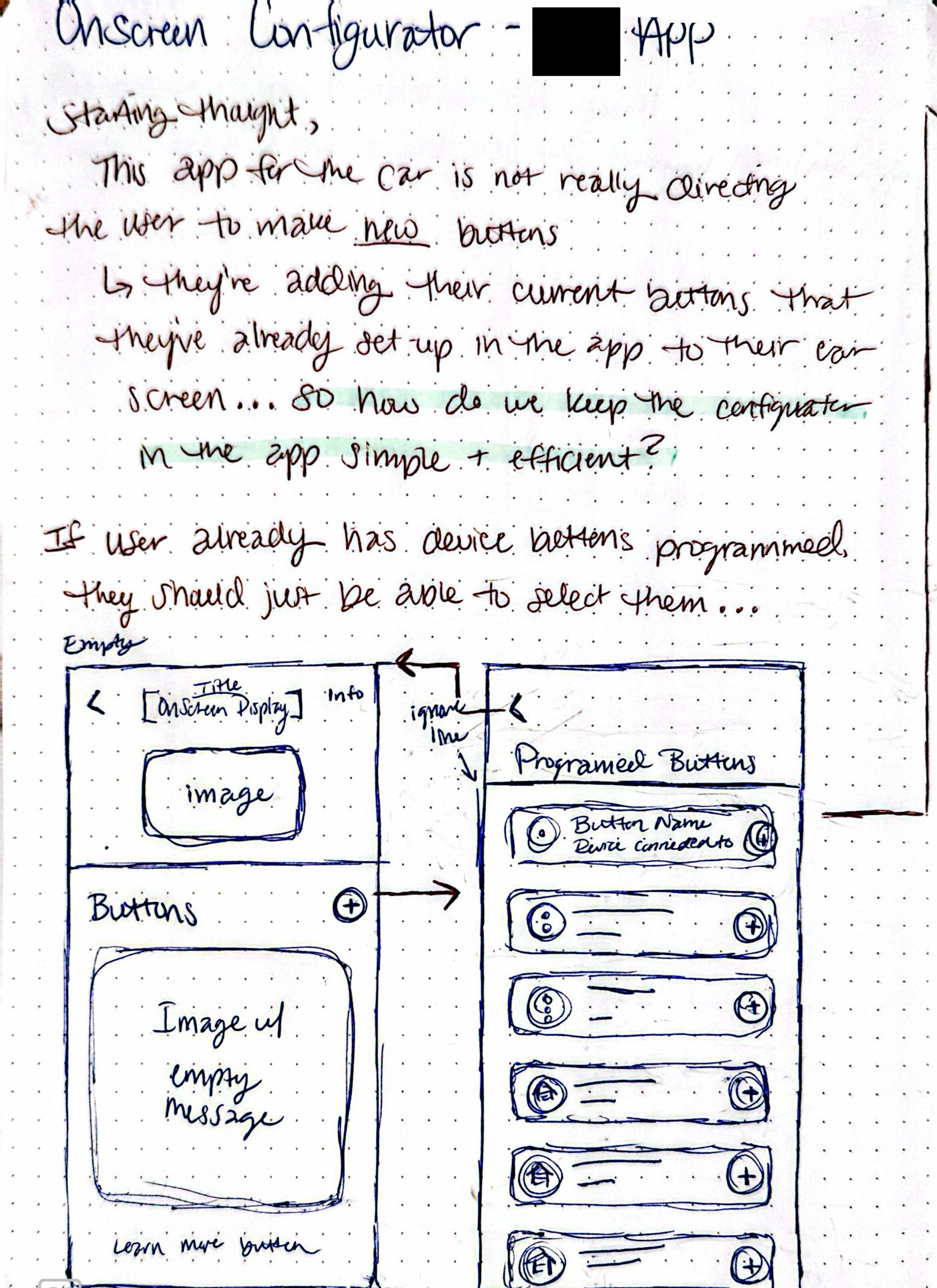
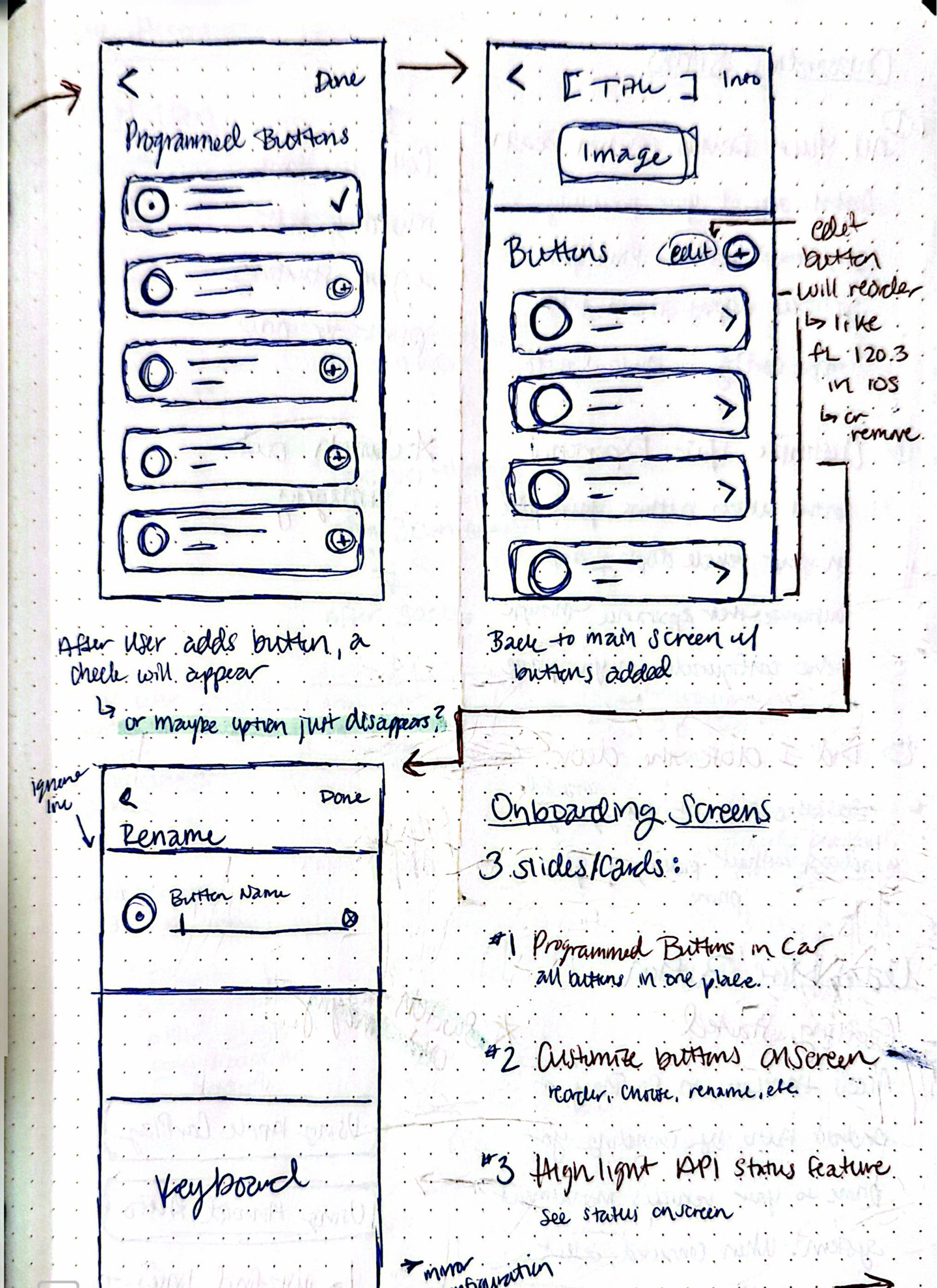
Because we were required to follow design templates, the CarPlay and Android app design came together fairly smoothly. The configurator, on the other hand, allowed us more creative freedom and thinking to design a seamless experience between the app and the car. I explored how this feature could maintain the simplicity and clarity from the in-car design, while still aligning with the existing app experience.
Delivery
After refining the design through several rounds of feedback, we achieved a solution that enabled users to operate their in-car buttons with ease and efficiency. The app supports both default and customizable button layouts, giving users the freedom to shape their in‑car experience. Designing with this flexibility in mind ensured that the interface remains easy to use while allowing users to prioritize the functions that matter most to them.
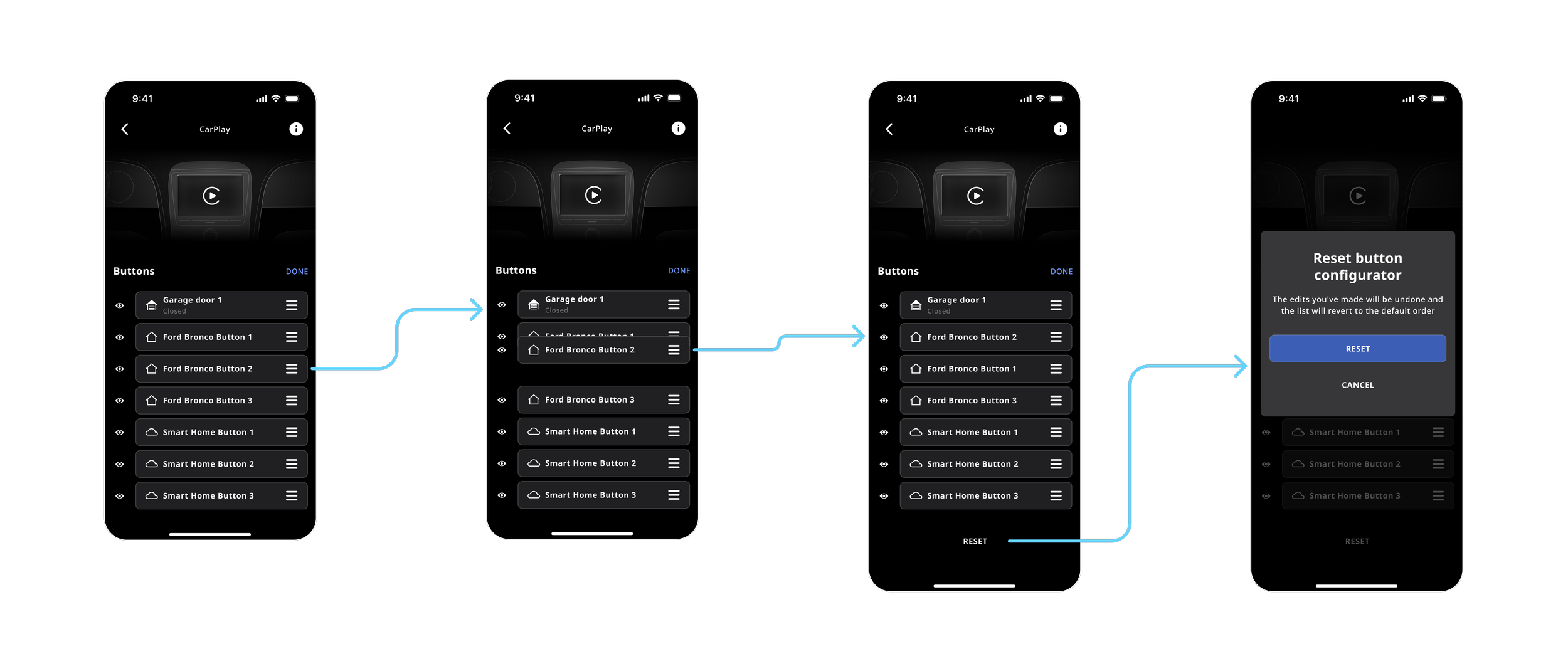
Reorder buttons
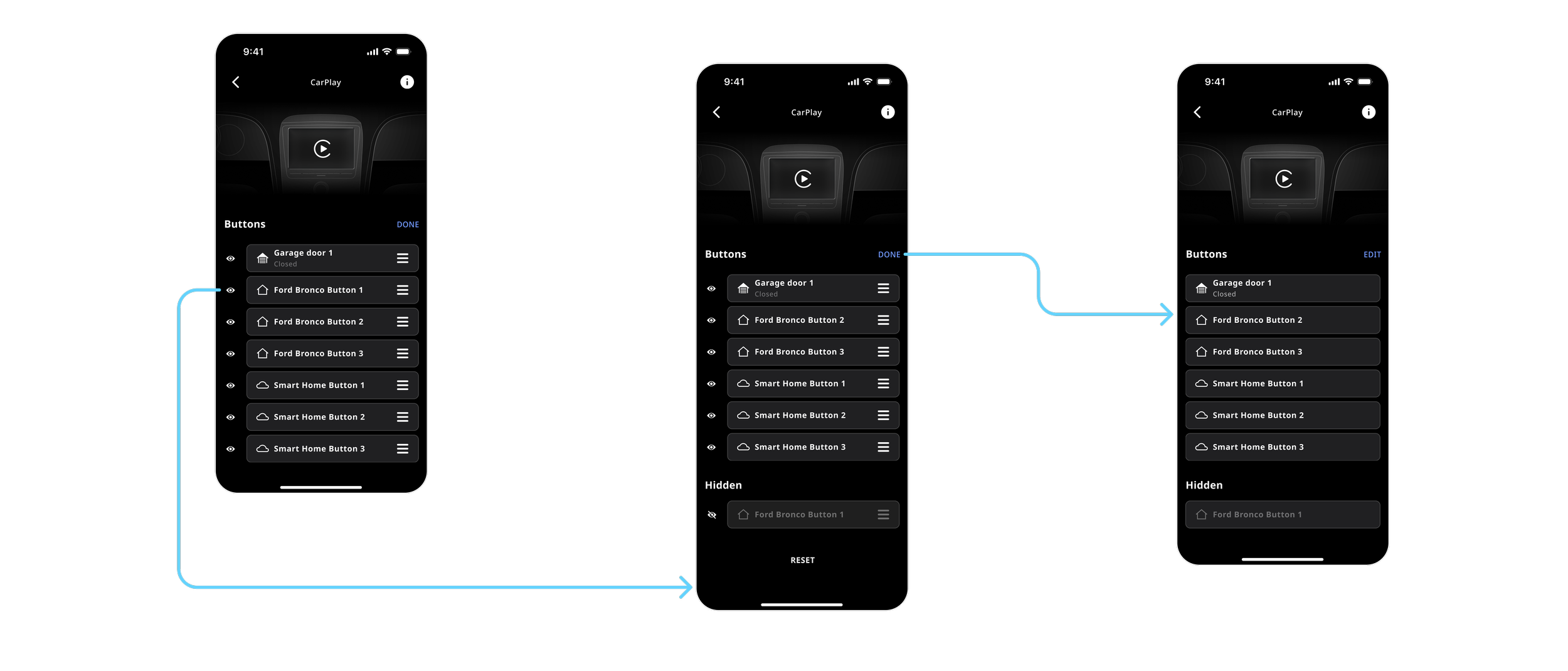
Hide buttons
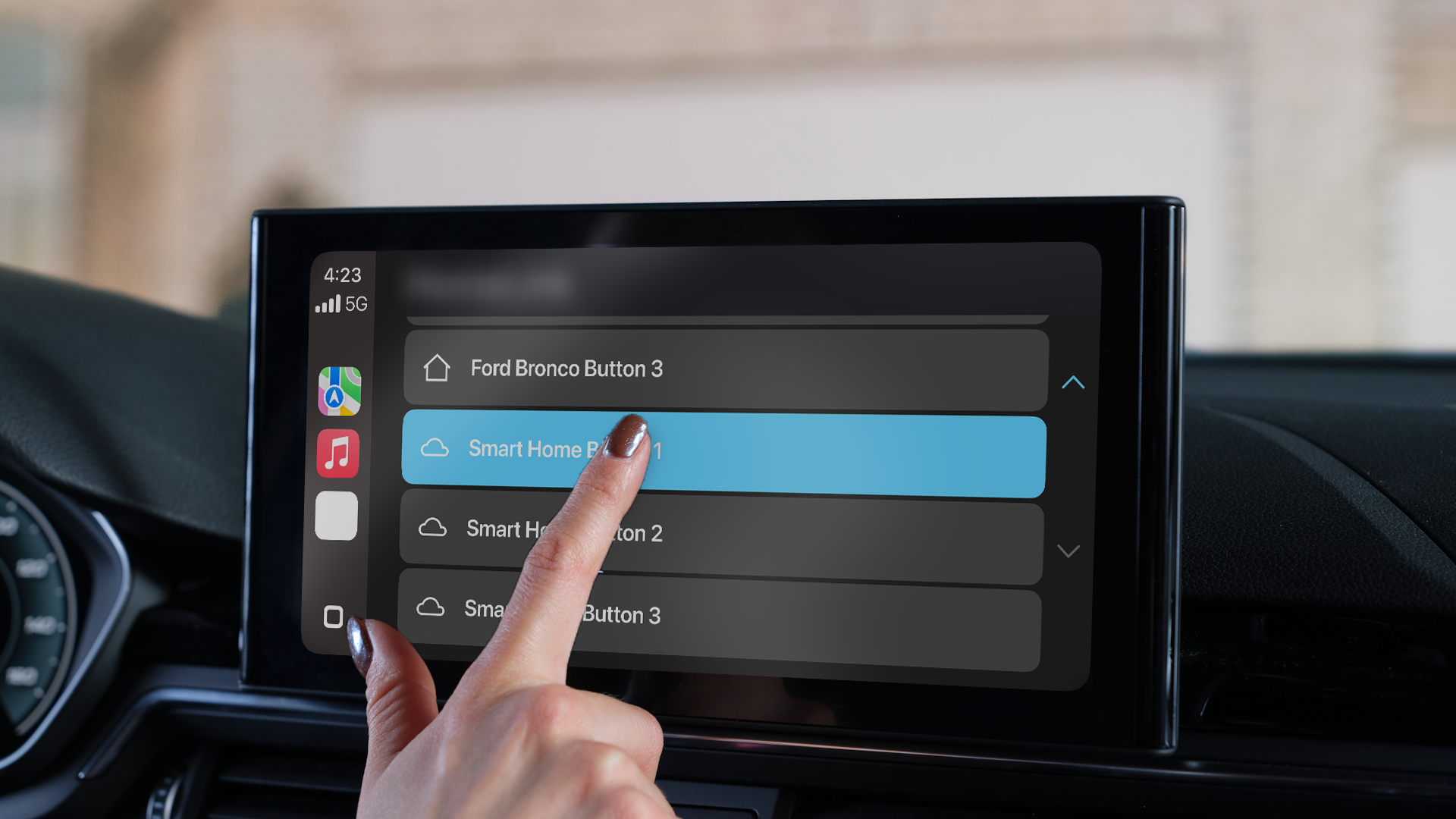
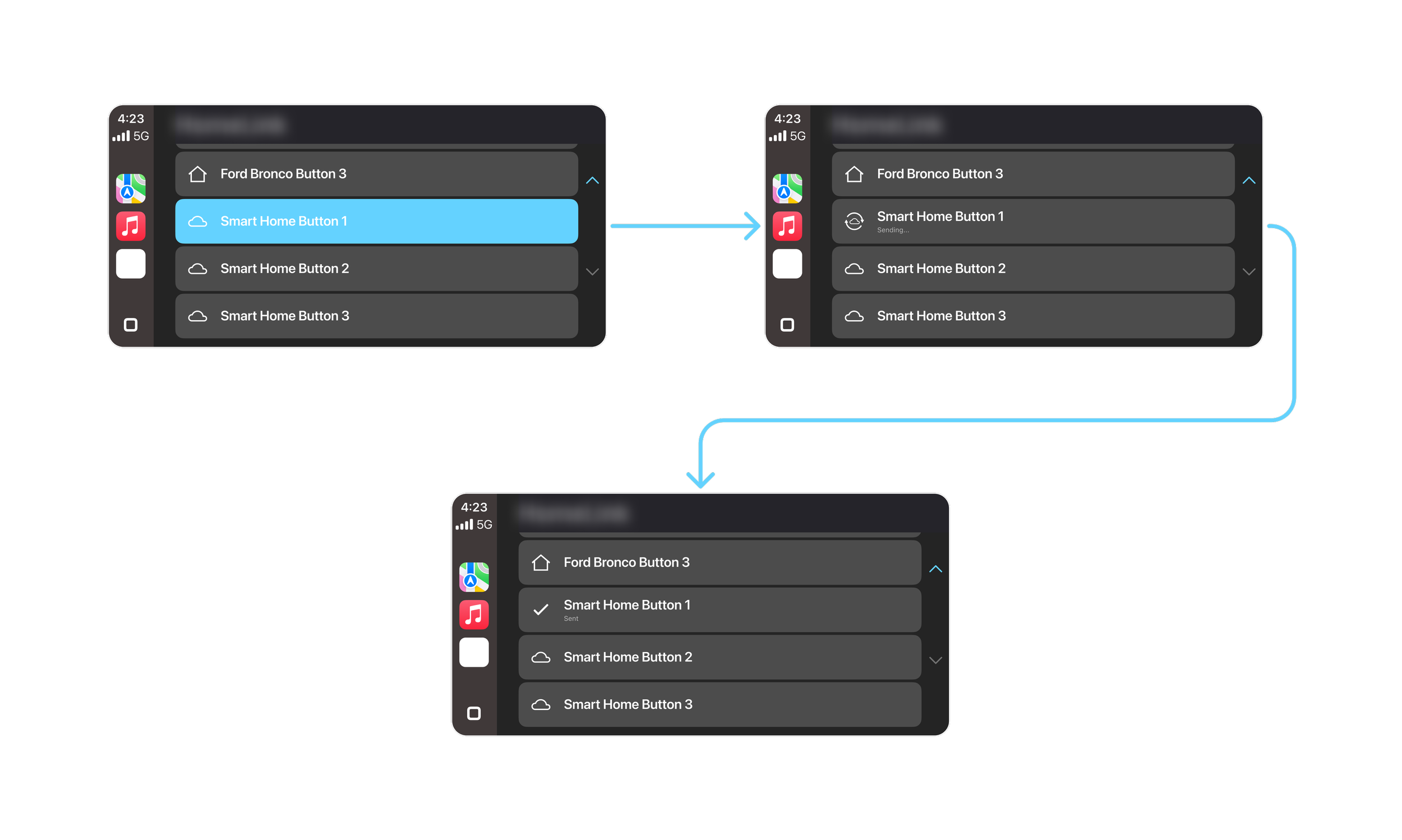
CarPlay
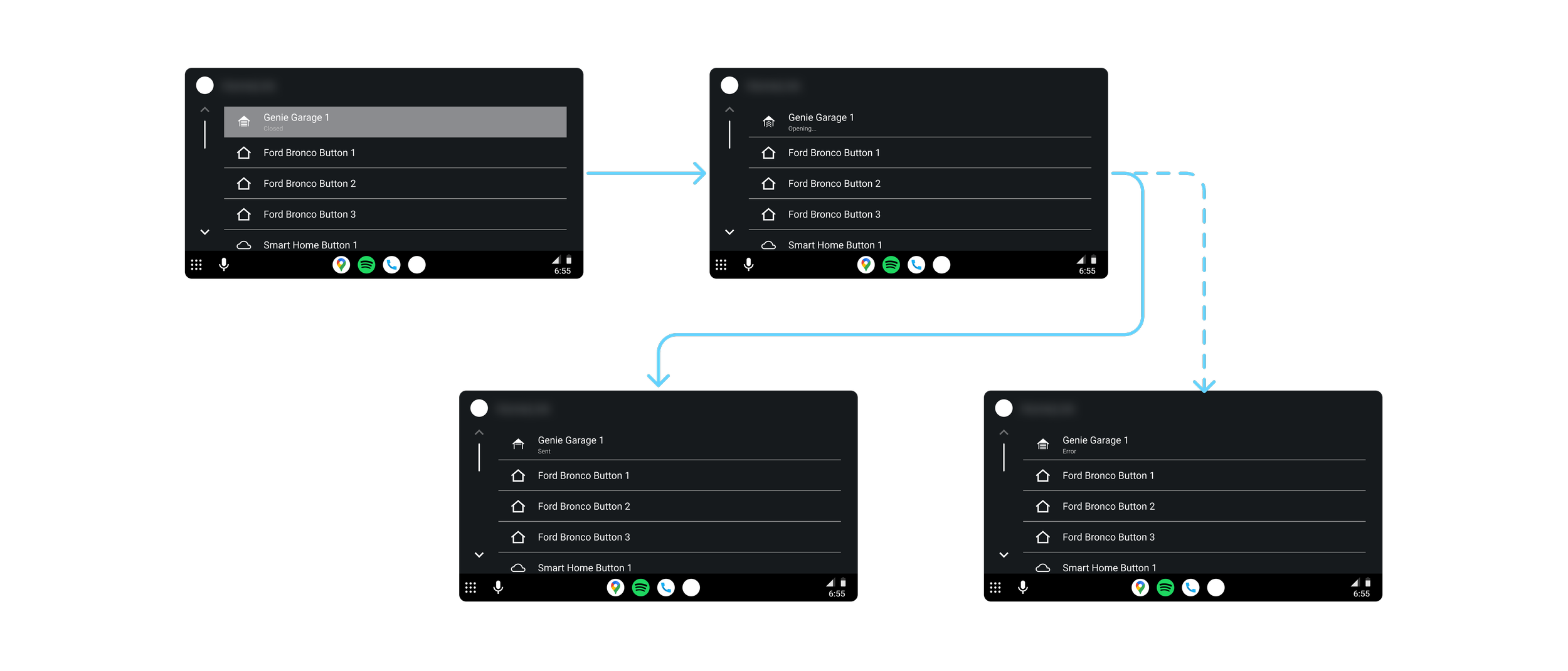
Android Auto